
The key on my desk that most people mistake for a USB stick
I first came across YubiKeys working in a regulated healthcare environment. The organisation had strict controls around how staff authenticated into systems. Not a password and a text message. A physical key you plugged into the machine. At the time I thought it was a bit over the top. Now I work in security, and I get it.
This post covers what a YubiKey actually is, why your current setup probably isn’t as secure as you think, and whether you should go and buy one.
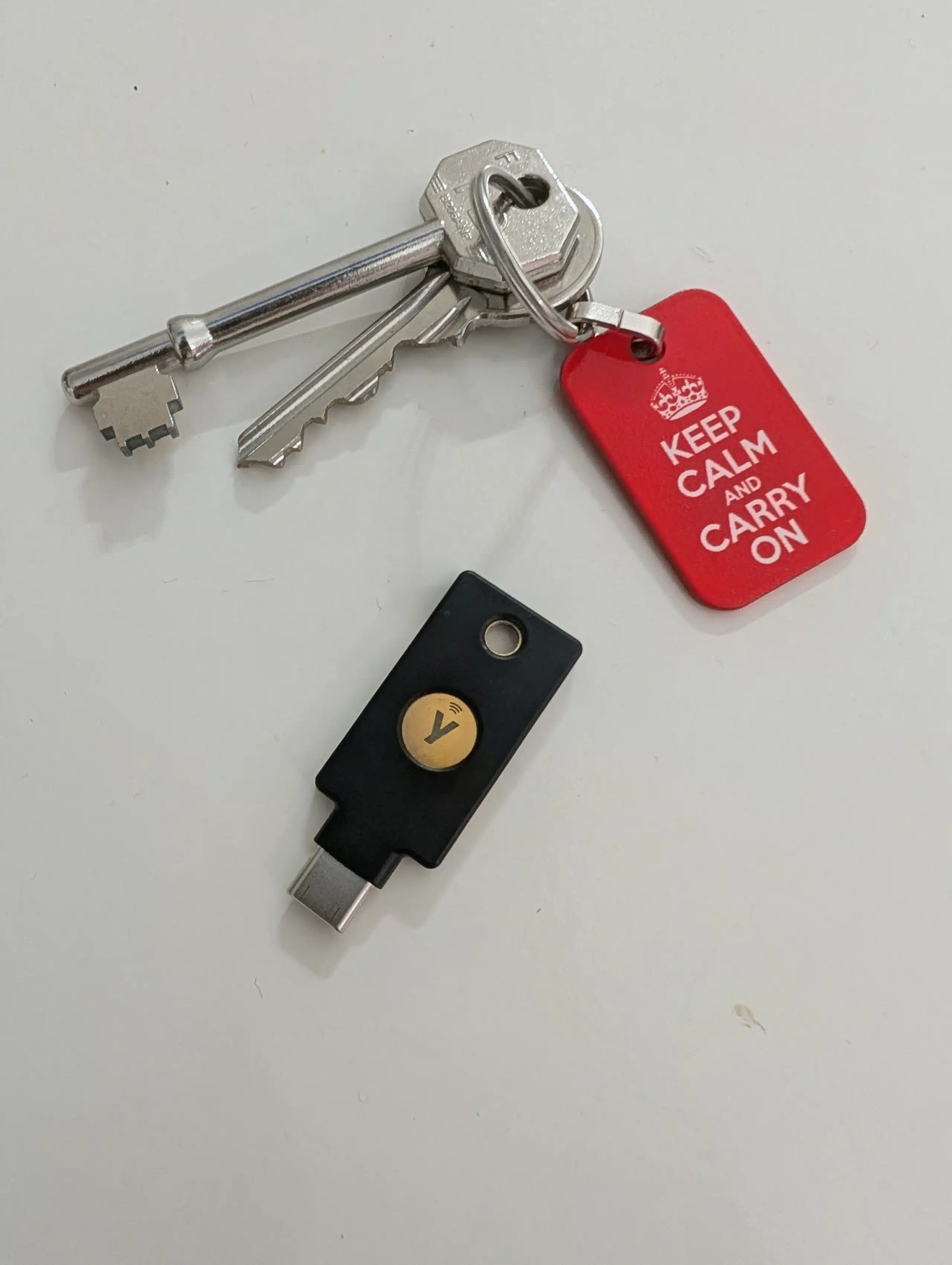
One of these unlocks your front door. The other unlocks your digital accounts. Same idea, significantly harder to pick.
Your current 2FA probably has a problem
Most people securing their accounts fall into one of two camps: SMS codes or an authenticator app like Microsoft Authenticator or Google Authenticator. Both are better than nothing. Neither is good enough. If you’re not clear on what MFA actually is yet, start with this post first and come back.
SMS authentication relies on plain text traffic. That code delivered to your phone? Visible. Intercept-able. There are attacks built specifically around spoofing SMS, crafting fake messages that look like 2FA prompts and capturing your details the moment you take the bait. Once that happens, it’s over.
Authenticator apps are a genuine step up. They generate a unique 6-digit code every 30 seconds, tied to your account rather than your phone number. But they’re not bulletproof either, and the attack that breaks them is nastier than most people realise.
It’s called real-time phishing. An attacker builds a fake login page that sits as a proxy between you and the real site. You type in your credentials and your 6-digit code, the proxy forwards everything to the legitimate site in real time, and the attacker captures your active session before that 30-second window closes. Your code worked. You got logged in. So did they. The whole thing happens fast enough that you’d never notice. You’d just see a normal login.
How a real-time phishing attack works. Your code was valid. That’s exactly the problem.
What a YubiKey actually does
A YubiKey is a physical security key. A small device you attach to your keyring and plug into your device to authenticate. It operates on the FIDO2 standard, which is the closest thing we currently have to phishing-resistant authentication.
Here’s why it’s different. The credentials stored on your key are cryptographic. They live on the key itself, they can’t be extracted remotely, and they can’t be taken over. There’s no code being transmitted, no token to steal, no link to click.
Authentication with a YubiKey works on the same three-factor logic you’ll already know if you’ve been studying for your Security+:
Something you have — the key itself, on your keyring.
Something you know — a PIN, set by you, that the key prompts for.
Something you do — you physically plug the key in and press it. Newer models read your fingerprint. Even newer ones use NFC, so you can hold the key near your phone to authenticate.
Yubico also makes their own authenticator app called Yubico Authenticator. Unlike Microsoft or Google’s equivalent, this app won’t show you anything without the key present. Plug it in or tap via NFC, and your authentication records appear. Remove it, and they disappear. There’s no way around it.
The bit nobody tells you before you buy
Your credentials are stored on the key. Not in the cloud. Not on your phone. On the key.
If you’ve added your YubiKey to ten or fifteen accounts and you lose it, you’re not getting back in without going through customer support for every single one. That’s a painful afternoon at best. Don’t skip the backup.
The answer is a second key. Two is the standard recommendation. Store your backup somewhere secure. A safe at home works, with the access code written on paper and kept somewhere separate. Off-site if you can manage it.
One more thing: you need to set up each key individually for every account. There’s no syncing between keys. It takes time. Do it anyway.
Who should actually buy a YubiKey
Not everyone. If you lose things regularly, a YubiKey is going to create more problems than it solves. If you’re buying one for an elderly relative who already finds technology frustrating, reconsider. The setup and the concept are both a barrier.
But if you’re breaking into cybersecurity? Buy one. Use it yourself before you’re ever asked to configure it for someone else. At some point in your career, you’ll work somewhere that mandates FIDO2-only authentication for certain accounts. Understanding it from the inside, the setup, the friction, the muscle memory, is worth more than any YouTube explainer.
Being able to talk about FIDO2 from personal experience rather than a textbook puts you in a different category. Most entry-level candidates have read about it. Few have actually used it daily. That gap is worth closing before you’re sitting across from a hiring manager.
I went with the YubiKey 5C. Around £60 a key. I bought three — a primary and two backups — which came to roughly £180 total. That’s not cheap. But redundancy isn’t where I cut corners.
Where to get one
Go directly to Yubico’s official site, or through Amazon from the official Yubico storefront. Fakes exist. Don’t learn that lesson the hard way.
The YubiKey 5C is the one I’d recommend for most people. USB-C, NFC, works across phones and laptops. You can grab one through my Amazon link below.
Affiliate disclosure: this is an affiliate link. If you buy through it I earn a small commission at no extra cost to you. I only recommend things I actually use.
Pick up two keys minimum. Set them both up at the same time. Store one somewhere you’ll actually find it when things go wrong.
Then use it every day until it’s boring. That’s the whole point.
Start with the fundamentals
A YubiKey makes the most sense once you understand what MFA is and why the weaker methods fall short. If you haven’t read it yet, the MFA guide is the natural place to begin.